
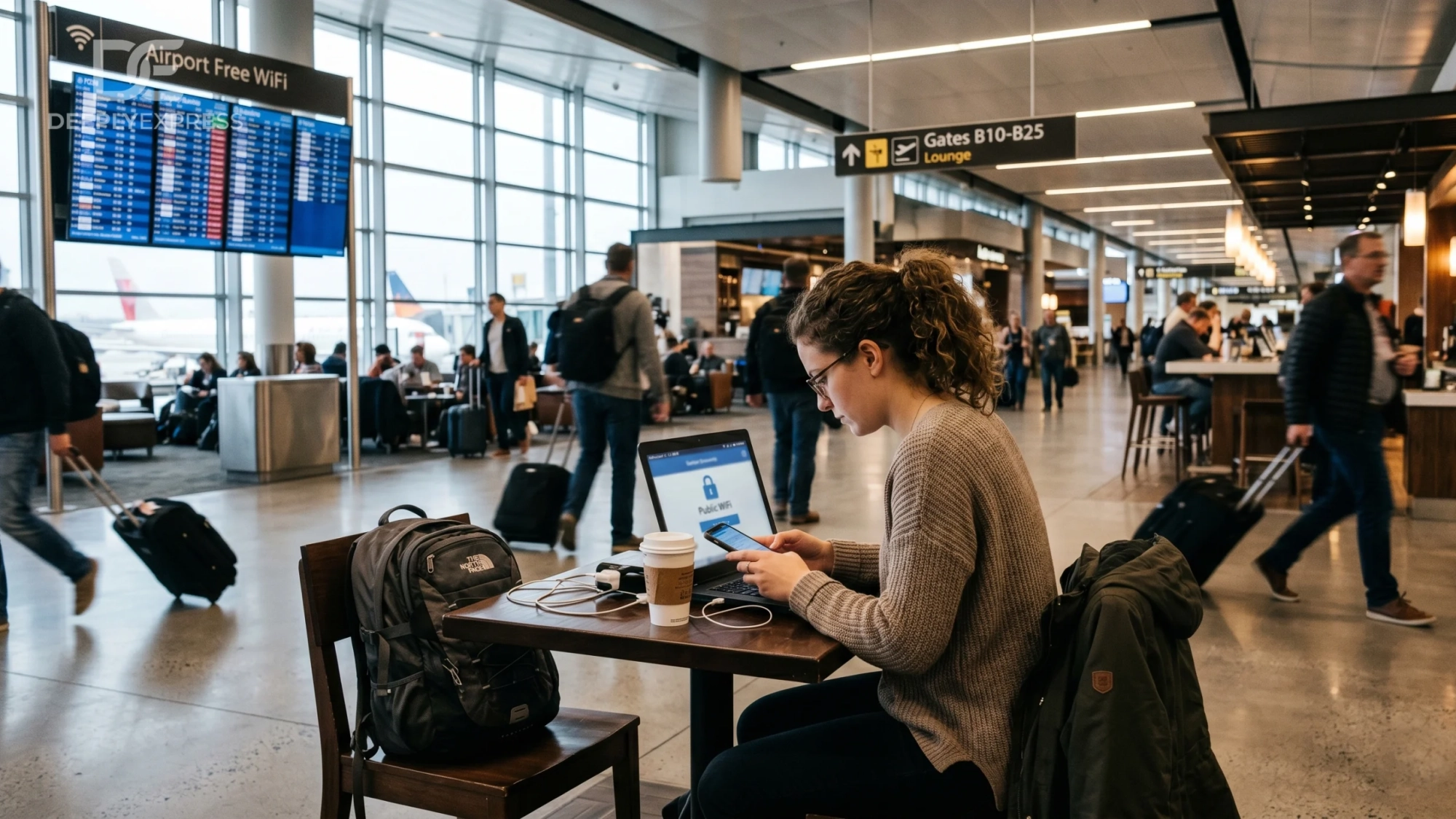
Free Wi-Fi access is all around. Airport lounges, shopping complexes, subway terminals, and subterranean stores. The connection is lagging or you have very little data left on your device; right there waiting for you, available, and ready to use. Should you actually use it and what the consequences would be for your phone and other accounts are questions worth considering before making the choice. These are common questions regarding public Wi-Fi, answered straightforwardly.
IS FREE PUBLIC WIFI ACTUALLY DANGEROUS?
It is indeed dangerous, but not always and everywhere. It depends greatly on the network itself, the type of other devices that use it, and what happens after connecting.
First of all, it concerns free open networks, where a visitor is offered free access and does not need to provide a password. In such networks, no encryption is applied when transferring information from the device to the router, which means that any visitor could watch the activity of the user with an adequate tool. Please note, it is not just an invented threat made up by cybersecurity firms for promoting their products. Such tools can be downloaded freely.
Password-protected networks offer a bit more security. However, having a password written down somewhere or openly shared by everyone hardly makes it secret.
WHAT CAN BE TAKEN FROM YOU ON AN OPEN NETWORK?
Most commonly attacked information includes login credentials used for logging into accounts, session cookies that allow attackers to log into accounts without needing to know the passwords themselves, personal information that may have been filled out in website web forms, and any communications sent via apps that do not use end-to-end encryption.
Data is transmitted over HTTP protocol in plain text form. This is no longer used by any popular website, as almost all of them employ HTTPS protocol to ensure information is encrypted during transmission from your computer or mobile device to a web server. However, HTTPS does not protect all metadata such as visited websites and the times of visits, allowing anyone observing the network to see this information.
This is achieved via man in the middle attack, where a computer of the attacker is placed between yours and the Wi-Fi network itself, effectively allowing the hacker to intercept data. This type of attack is one of the most well-documented ways to hack open Wi-Fi.
DOES SCANNING A QR CODE OR SIGNING IN WITH A PASSWORD MEAN IT’S A SECURE NETWORK?
Not nearly as much as most people think it means.
While getting that QR code from the mall or coffee shop for connecting your device to the Wi-Fi might mean something to you, there is nothing secure about being on that same network as everyone else inside that place. The QR code or password does not get you your own private network. While networks with WPA2 or WPA3 encryption are harder to monitor passively than a completely open network, they can’t protect you from attacks coming from any device on that same network.
IS IT SAFE TO USE YOUR BANKING APP ON PUBLIC WIFI?
No, unless you have mobile data left, even a bit.
The reason is that banking apps use a dedicated encryption protocol called Transport Layer Security (TLS). This works independent of what network you are using, and the encryption is real. Still, risks with using public WiFi involve not only this connection. It may include malicious software that the network tries to put into your phone, stealing sessions through another app that you use at the same time, and phishing pages designed to redirect your request to a false page.
If this is the only choice, use the official banking app, set up two factor authentication in advance, and terminate the WiFi connection as soon as possible after the session. Never do online banking via browser when using public WiFi networks.
WHAT IS AN EVIL TWIN ATTACK? WHAT DOES IT MEAN?
An evil twin attack involves creating a wireless network that looks almost like the real thing. In an airport, for example, the name of a real network can be Airport Free WiFi, while the attacker would call his network something like Airport Free WiFi or AirportWiFiFree; a slight difference which may escape notice in most cases. All the traffic flowing from the computer will go via the attacker’s system.
Evil twin attacks have been observed at important locations such as airports, conferences, and transit facilities. They are not uncommon. Your best bet of avoiding being caught in an evil twin attack is to get the exact details of the network name from any employee.
DOES A VPN ACTUALLY HELP ON PUBLIC WIFI?
Yes, significantly. The use of a Virtual Private Network encrypts everything going out from your phone before reaching the router. Anybody watching the network will only see random strings of data that they cannot decipher. It will also prevent the network administrators from knowing where you go or what data you send.
The free versions will usually track your data instead. If you often connect using public Wi-Fi, particularly in connection with work-related purposes, or even any activity containing sensitive information, you should invest in a paid version of a good VPN with a confirmed policy of zero logging.
HOW DO YOU ACTUALLY KEEP YOURSELF MORE SAFE UNDER THESE CONDITIONS?
Here are some items that are particular instead of general.
Check your network name by consulting a staff member before connecting. Don’t automatically join the closest network from your list. Ensure that your phone is set so that it will not automatically join any network without your consent. To disable this function on an iPhone, access Settings>WiFi and enable Ask to Join Networks. On an Android phone, access Network and Internet and turn off the ability to automatically connect to saved networks.
After that, don’t use public WiFi to enter your credit card information, sign into important accounts, or send any personal information in a message. Consider WiFi from a coffee shop to be something that has been lent to you.
Remember to “forget” the network when you leave; otherwise, your device will automatically reconnect to any network with the same network name, even if it is a different WiFi network altogether.
Your mobile data, even if you are running out of it, is a secure and encrypted channel unlike the public WiFi network. When there are matters of privacy involved, like your identity or financial transactions, then there is no need to save those MBs.
Leave A Comment